As a Swile administrator, you can order gift cards for your employees, loaded with the amount of your choice for a URSSAF event. This article explains how to order them and manage their distribution.
The gift card is a physical gift card with a festive design, given to your recipients in person or by post. It features a message depending on the occasion (Season’s Greetings, Congratulations, Merry Christmas, etc.).
💡 Good to know: gift card and gift voucher
The gift card you order is received and used by your recipients under the name Swile gift card. Don’t confuse this with gift vouchers or culture vouchers, which are credited to each recipient’s personal Swile card — this article only covers gift cards.
Swile offers two different solutions to reward your employees for a URSSAF event: gift vouchers (or culture vouchers) and gift cards. Here’s how to tell them apart.
💳 Swile gift vouchers and culture vouchers
- Credited directly to the recipient’s Swile card. The card is personal: you need to add your recipients in advance in your admin area.
- You can order different amounts for each recipient.
- Can be spent at a wide range of retailers.
💳 Swile gift cards
- Amount loaded onto a dedicated card. The card is not personal: you can order a batch of cards without specifying the recipients.
- Choose a single amount per event, with the option to combine several events with different amounts in one order.
- Can be spent at a selection of retailers.
To load gift vouchers, see the article How do I place a gift voucher order? To see which retailers accept gift cards, visit our eligible retailers catalogue.
To order your Swile gift cards, go to swile.co/carte-a-offrir/commande, then follow the steps below.
Step 1: In the For which occasion? drop-down menu, select the relevant URSSAF event.
Step 2: Choose the design you want for your gift card. The design will be the same for all cards for a given event. If you’re ordering for two events, you can choose a different design for each.
Step 3: Set the amount to be loaded onto your cards for the chosen event, as well as the number of cards to order. Within a single order, you can combine several events with different amounts.
💡 Swile gift card exemption
Swile gift cards are subject to the same social security exemption rules as gift vouchers. For more information, see the article Are gift vouchers subject to social security contributions?
Step 4: If you wish, add a personalised message to your gift cards, which will be printed on them.
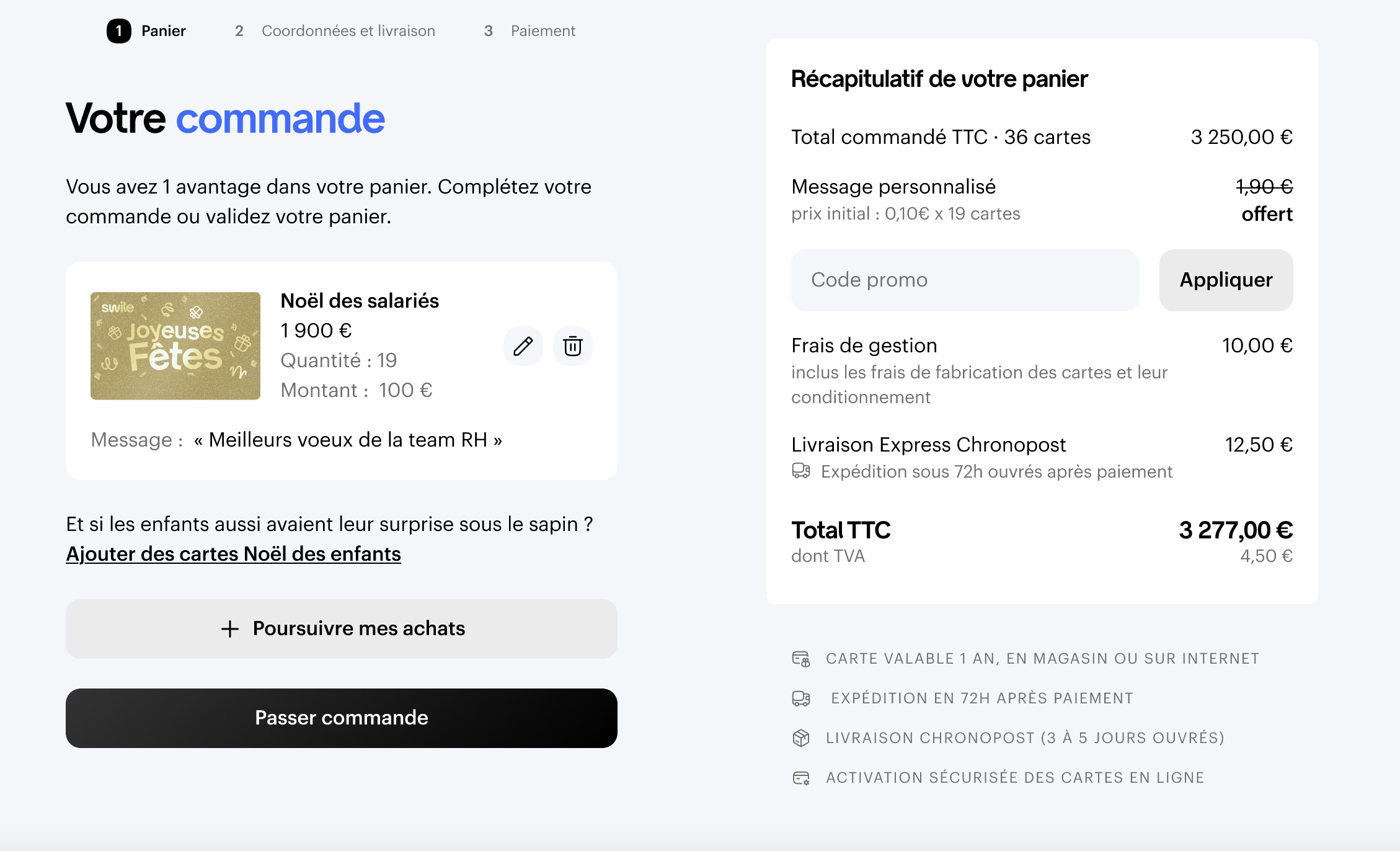
Step 5: If you have a promo code, enter it in your order summary.
Step 6: Click Place order and fill in the required information.
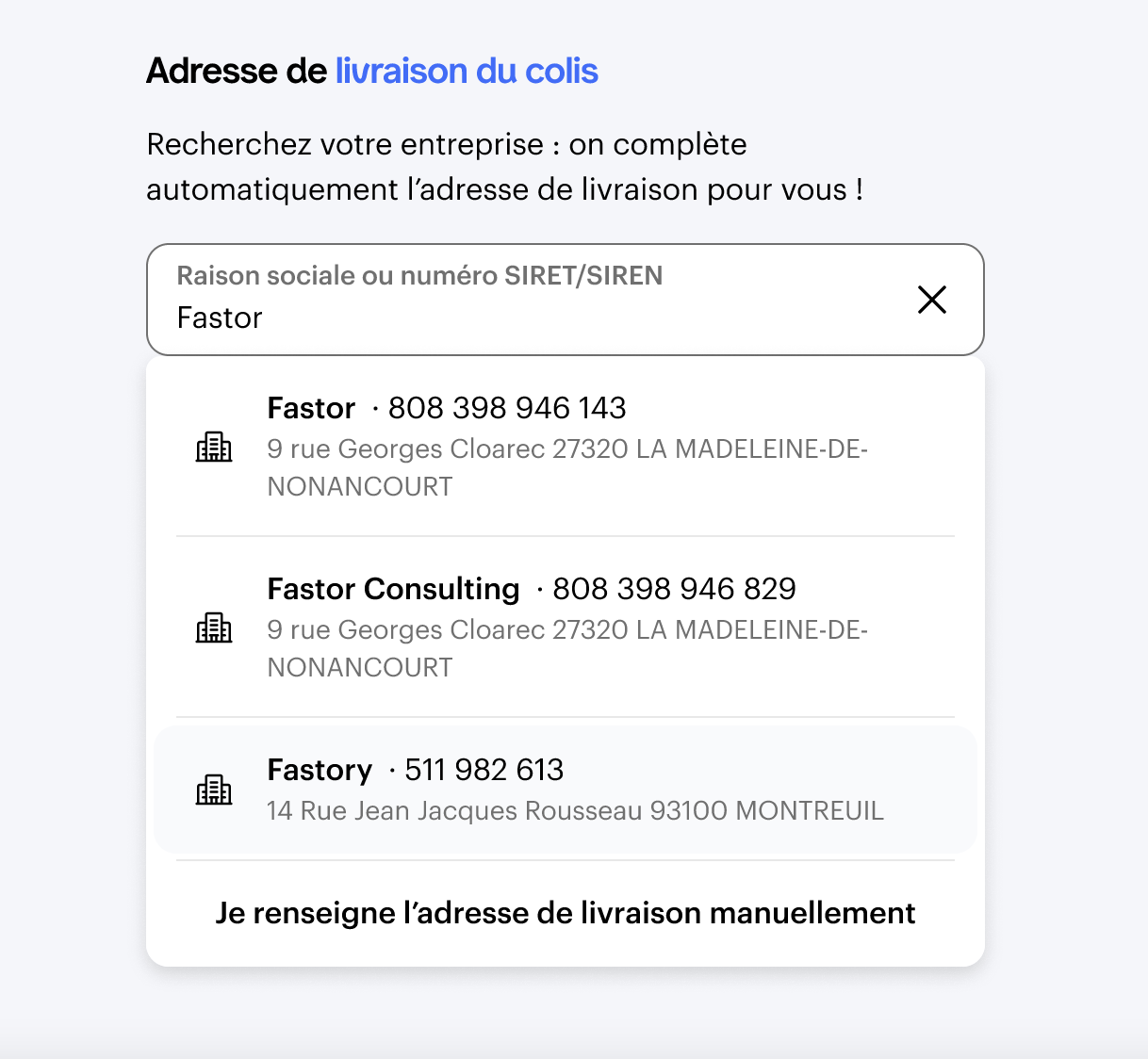
Step 7: For the delivery address, search for your company by name or SIRET in the search bar, or enter the address manually.
Step 8: For the billing address, tick the box if it’s the same as the delivery address. Otherwise, enter it separately.
Step 9: Don’t forget to enter your SIRET number.
Step 10: Confirm your order, then proceed to payment by bank transfer or bank card (from your second order onwards).
Step 11: Once payment is complete, follow the instructions to access your admin area. You’ll be able to track the status of your gift card order there.
On your admin area home screen, you can view your current gift card order and track its status.
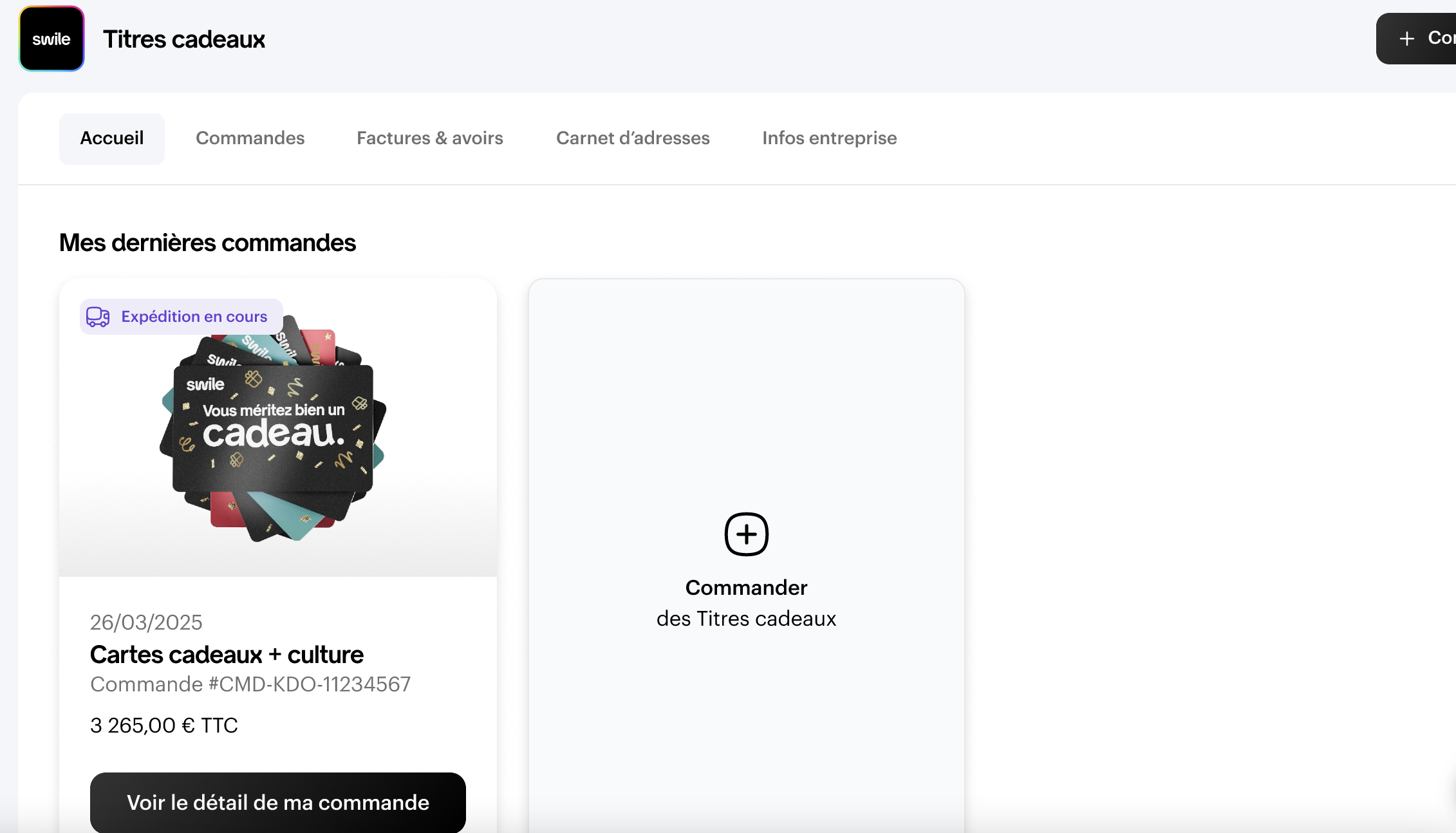
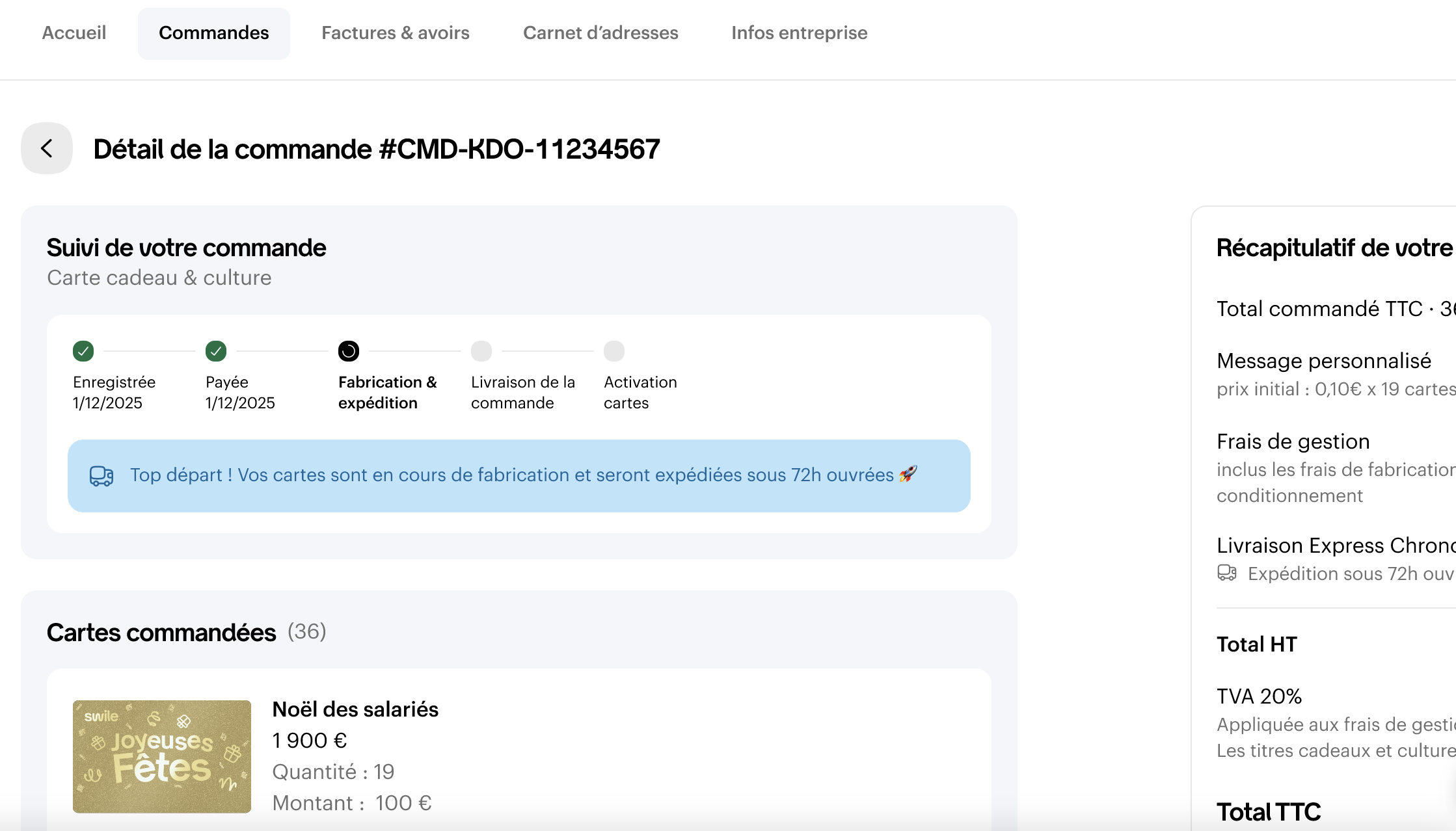
Once your order has arrived, download your sign-off sheet for your recipients to complete.
With Swile gift cards, you can place a single order for cards for several URSSAF events.
First, add the cards you want for the first event to your basket. On the Summary page, click Continue shopping to add cards for other events. This way, you’ll only have one basket and one payment.
🎄 Ordering for Christmas
If you’re placing a Christmas order for Swile gift cards, you can combine your children’s Christmas order by clicking Add children’s Christmas cards.
The gift cards are activated the day after you receive them, with no action needed from you or your recipients.
A sign-off sheet is sent by email to help you distribute the cards to your recipients. This sheet is also available in your admin area in the order history for your gift cards.
The gift card you order can be used by your recipients as a Swile gift card, in one or more transactions, at partner retailers.
- In-store: swipe the magnetic strip on the back of the Swile gift card along the side of the payment terminal, gently towards the inside.
- Online: select card payment, then enter the 16 digits of the Swile gift card, its expiry date and the security code (3 digits on the back, under the scratch-off area).
The balance and the list of partner retailers can be accessed by scanning the QR code on the back of the Swile gift card.
💡 Recipient usage questions
For any questions about using the Swile gift card (balance, partner retailers, payment, loss or theft, validity period), direct your recipients to the article How do I use my Swile gift card?
Comments
0 comments