Statistics are available in the Gifts and Benefits menu, under the Statistics tab. They are available under two or three tabs depending on your options:
- Company fund
- Beneficiary activities
- Shop subsidy (if you have this option)
Company fund
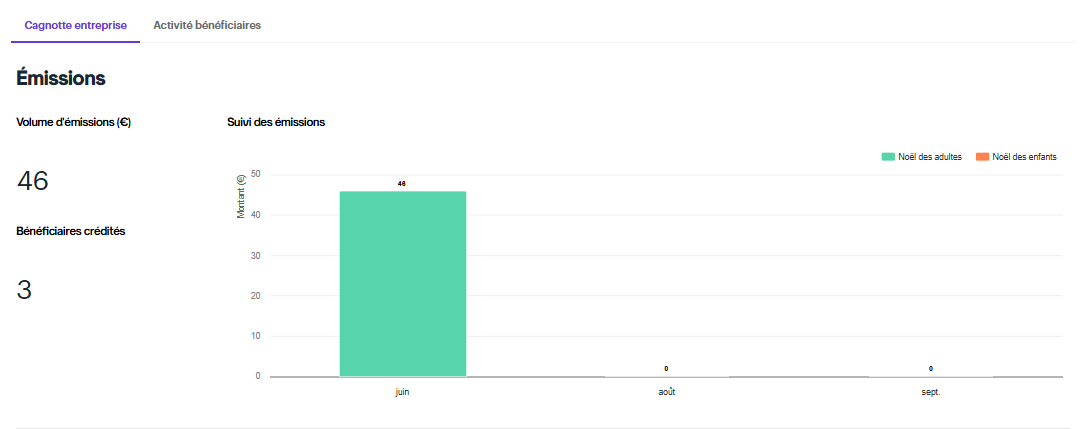
- Total issued: the total amount credited to your employees
- Issuance tracking: breakdown of issuances by URSSAF events
- Credited beneficiaries: total number of beneficiaries credited
- Issuance per beneficiary: the amount issued per beneficiary
Beneficiary activities
- Activated accounts tracking: Pie chart showing activated and non-activated accounts
- Card order tracking: Status and tracking number for card orders
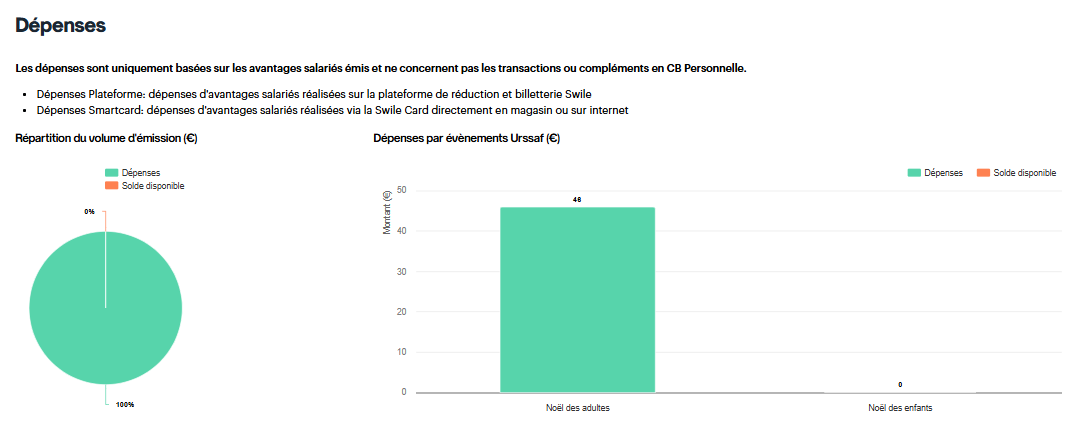
- Spending: Total, by Urssaf event, by month, on the platform and by card
Shop subsidies
In this tab, you’ll find:
- The amount you’ve allocated to shop subsidies (amount in €)
- The number of users benefiting from a shop subsidy
- The number of shop subsidies set up
- A breakdown of subsidies allocated per beneficiary
Comments
0 comments