As an administrator, you can update several details about your company yourself directly from your admin area, under the Billing tab: the SIRET number and the company name. The billing address is filled in automatically based on the SIRET.
How do I update my company's SIRET number?
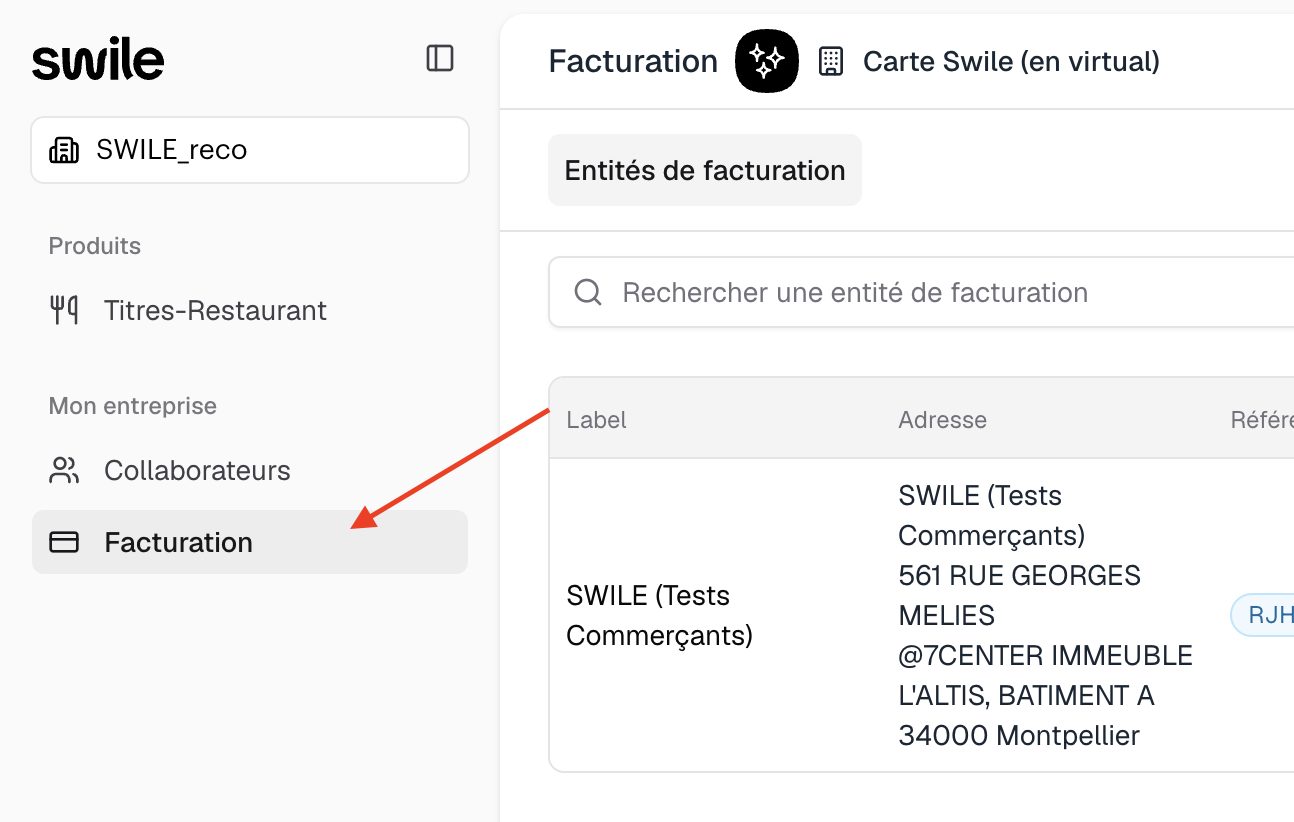
- Step 1: To update your company's SIRET number, go to the Billing tab in your admin area.
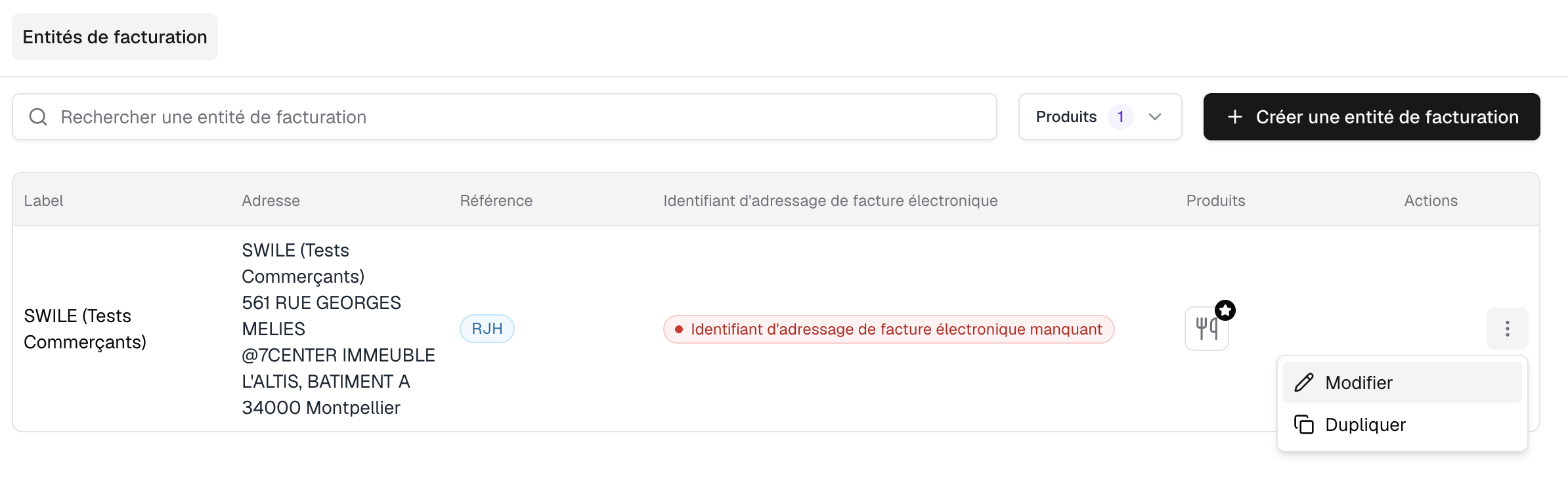
- Step 2: Click on the three dots at the end of the row, then select Edit.
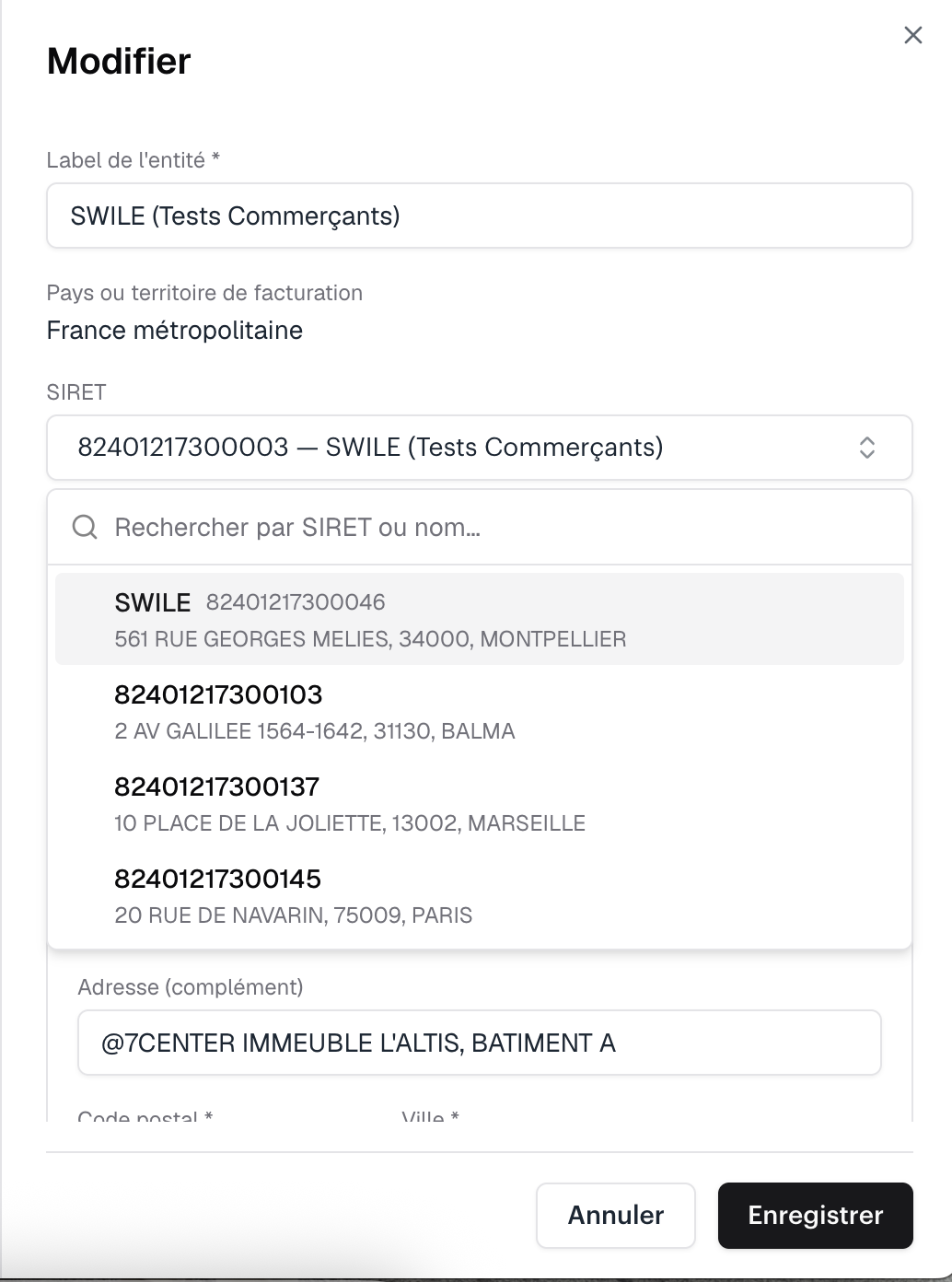
- Step 3: Enter the new SIRET number.
- Step 4: Click Save to confirm the new SIRET number.
💡 Good to know
Only valid SIRET numbers are available, according to the INSEE Sirene database. Once the SIRET is saved, the billing address is filled in automatically: this is the official address linked to that SIRET.
How do I update my company's name?
To update your company's name, go to the Billing tab, enter the new name in the Entity label field, then click Save to confirm the change.
How do I update my company's billing address?
The billing address can't be changed directly: it's filled in automatically based on the registered SIRET and matches the official address linked to that SIRET. To update your billing address, change your company's SIRET in the Billing tab: the new official address will then be filled in automatically.
Comments
0 comments