As a Validator and/or Administrator in your organisation, you may be required to validate, or not, your collaborators' bookings.
- First of all, you receive an email telling you that a booking is awaiting review on your part.
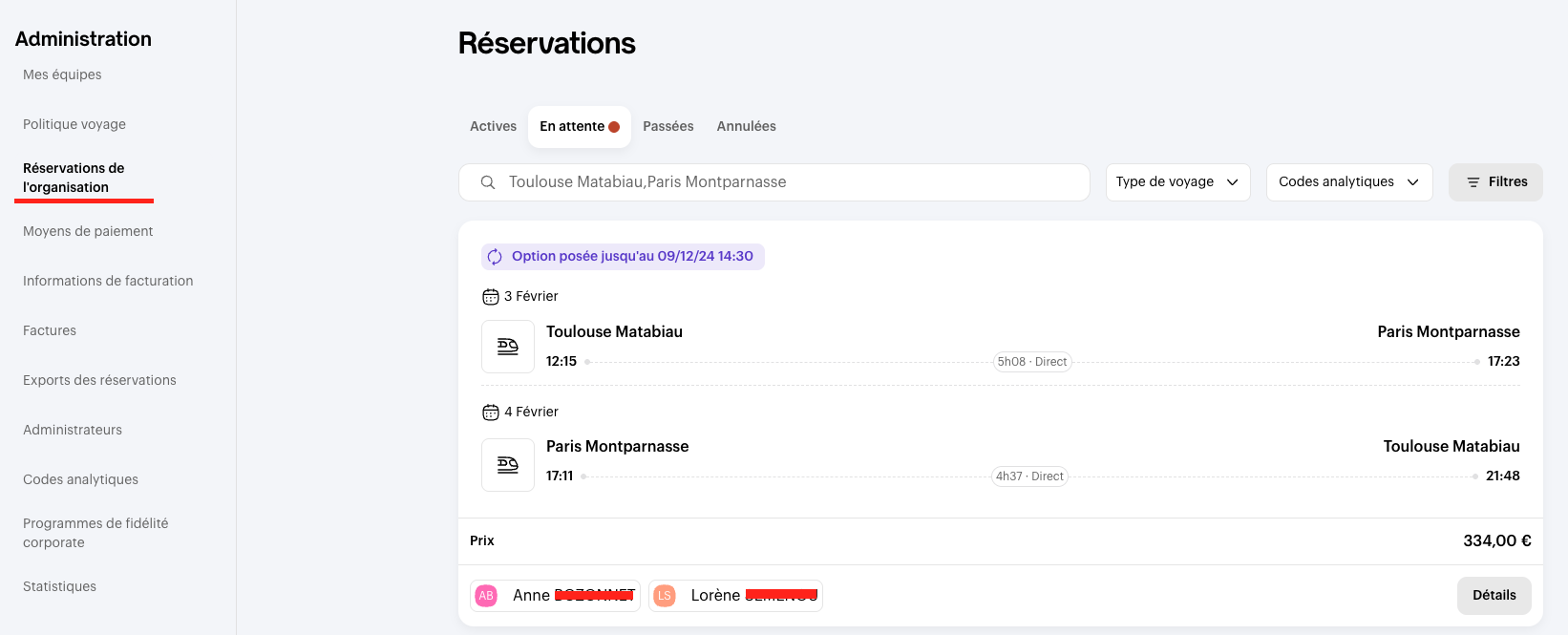
- Pending bookings look like this:
👀 From a Validator space
👀 From an Administrator area
- Once in the booking, you'll find the collaborators' information, the category booked, the price of it, and of course, the option to refuse or validate the booking.
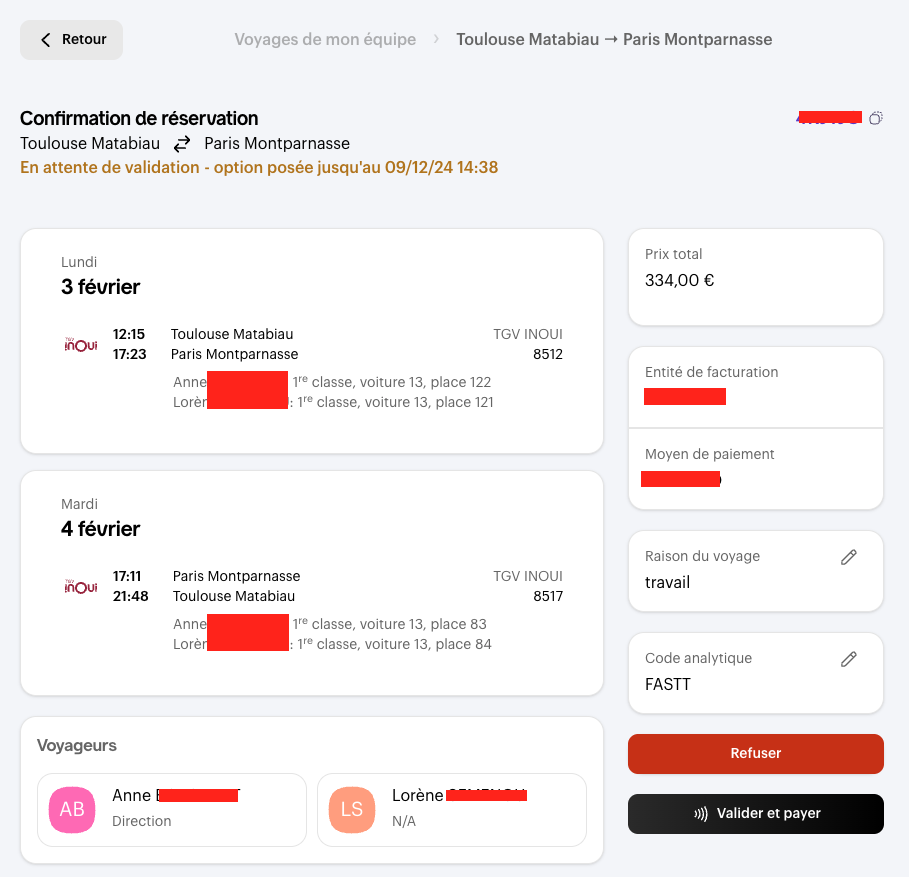
- If you have not already done so, you will need to enter the reason for the trip in order to validate the booking.
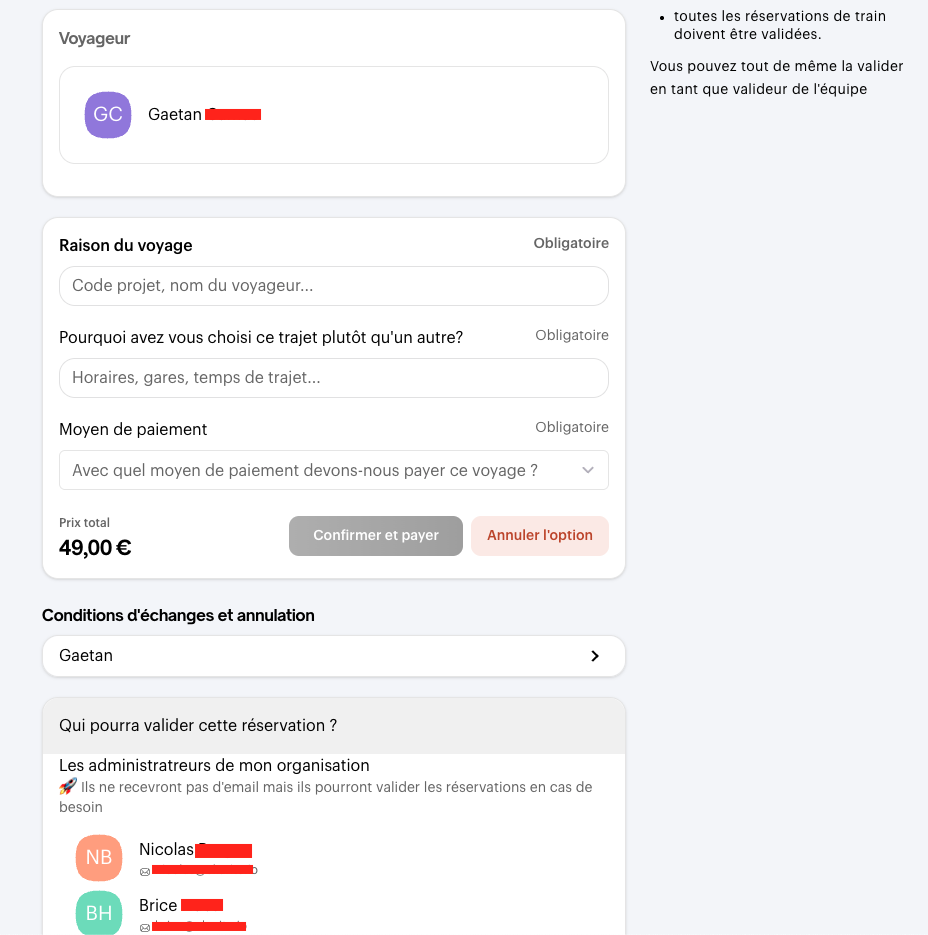
Your collaborators can see the people authorised to validate their booking, directly from the confirmation page.
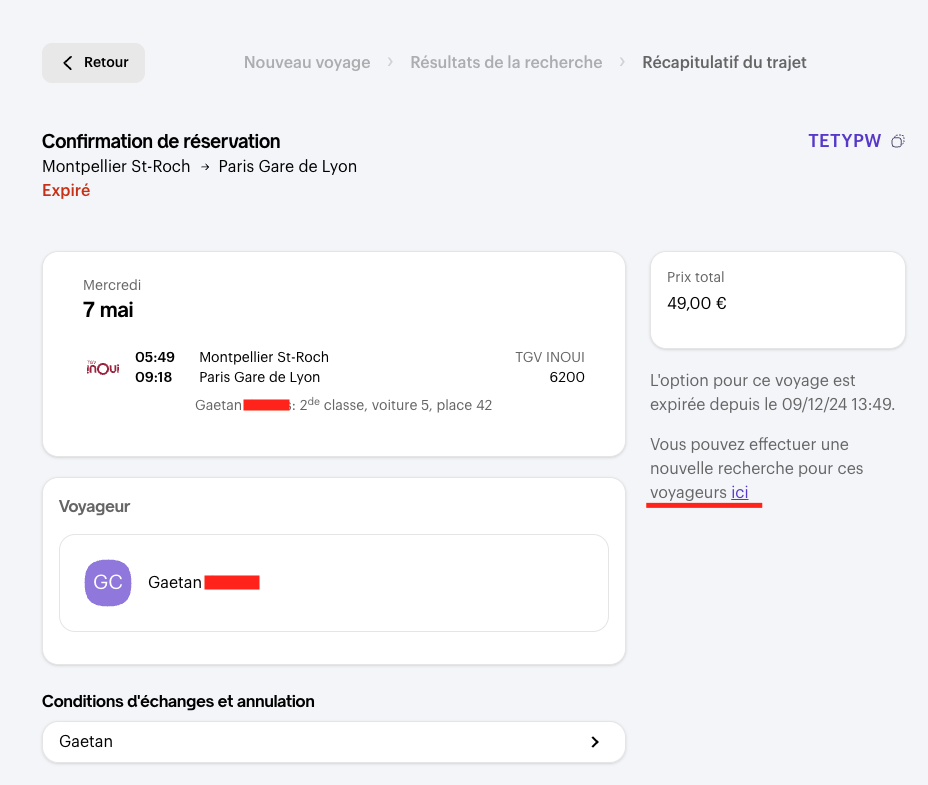
⌛️ If you haven't had time to validate the option in time
Don't worry, you can renew the option directly from the validation page (subject to availability).
📌 What happens once the booking has been validated?
Once the booking has been validated, your collaborator receives the confirmation email with their booking details and can retrieve the booking directly from their account 🙌.
Comments
0 comments