As an Approver and/or Administrator for your organisation, you may be required to approve or reject your colleagues' bookings on Swile Travel.
- You’ll receive an email letting you know that a booking is awaiting your review.
- Pending bookings are grouped together in a dedicated tab.
How do I approve a booking from an Approver space on Swile Travel?
Go to the Travel menu and click on Pending bookings.
Once you’re in the booking, you’ll see the details of the colleague(s) involved, the booking details, the price, and the analytical fields filled in by the colleague — which you can edit if needed — as well as the option to approve or reject the booking. You can then click Reject or Approve and pay.
How do I approve a booking from an Administrator space on Swile Travel?
Go to your administrator space, in the Travel menu. Click on Bookings, then go to the Pending tab.
Once you’re in the booking, you’ll see the details of the colleague(s) involved, the booking details, the price, and the analytical fields filled in by the colleague — which you can edit if needed — as well as the option to approve or reject the booking. You can then click Reject or Approve and pay.
How can my colleagues see who will approve their booking on Swile Travel?
Bookings are approved by the Approvers and/or Administrators of the organisation. Your colleagues can see who is authorised to approve their booking: on the booking confirmation page, they can click the Who can approve this booking? button.
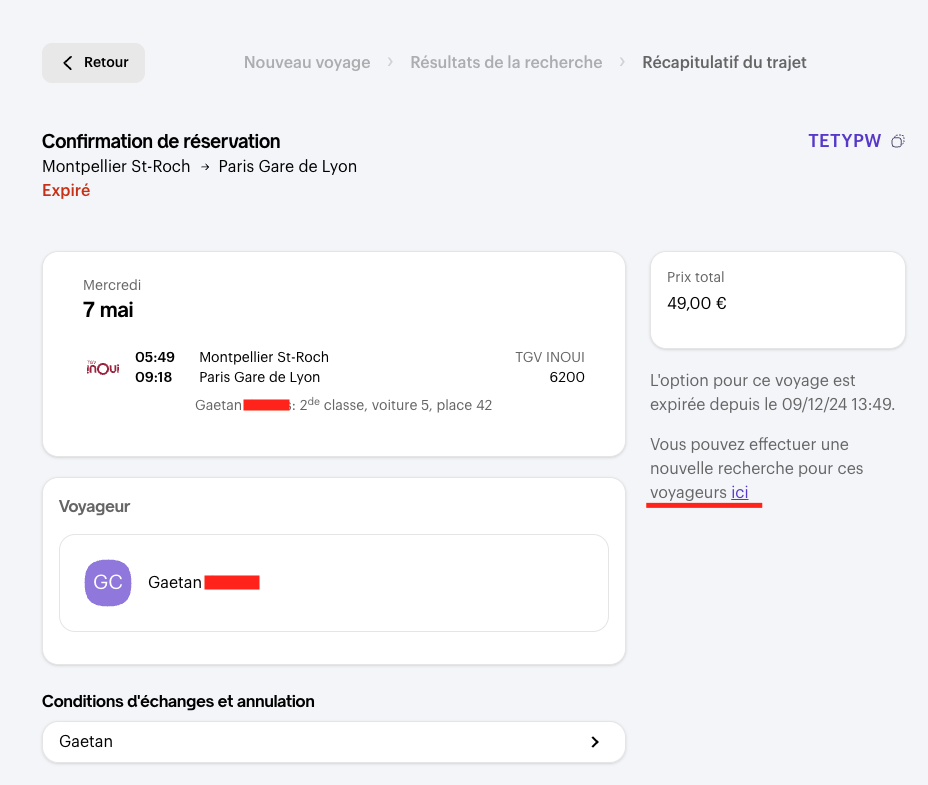
What should I do if the Swile Travel option wasn’t approved in time?
No worries: you can run a new search and renew the option (subject to availability) directly from the booking approval page.
What happens once the booking is approved on Swile Travel?
Your colleague will receive a confirmation email with their booking details. They can then find it directly in their Swile account 🙌.
How do I edit the analytical fields of a booking on Swile Travel?
When you view a booking that’s awaiting approval, the analytical fields filled in by the colleague are shown in the booking details. You can edit them directly there, before clicking Approve and pay.
Comments
0 comments